Overview
This article displays the SimplyPortal Self Check-in feature from the family's point of view.
Setup Guide
TABLE OF CONTENTS
Before You Start
This article assumes the Self Check-in feature has been enabled.
To enable Self Check-in, refer to: How To: Enable Attendance Check-in via SimplyPortal
Self Check-in is available on Elite and Complete subscription plans.
Family POV: How to Check-in
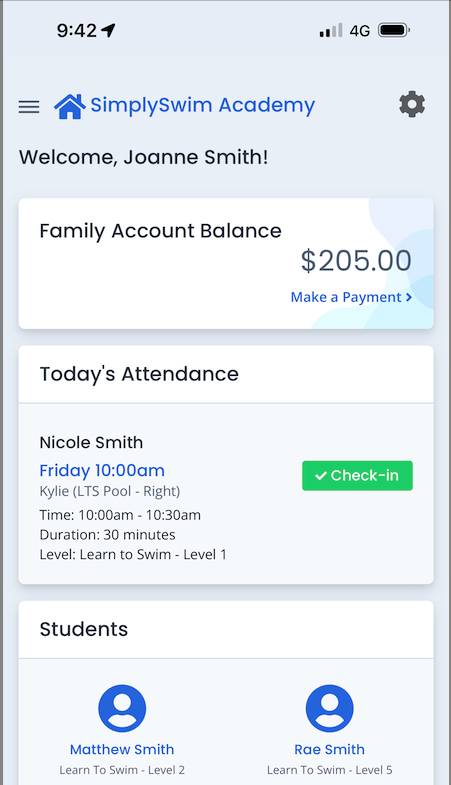
1. From the SimplyPortal dashboard / home page, click on "Check-in" in the "Today's Attendance" section.
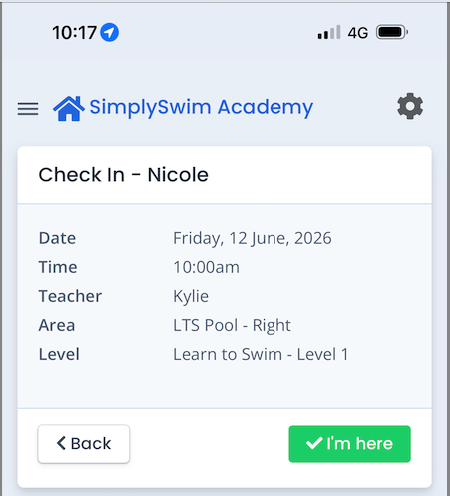
2. Click on "I'm here".
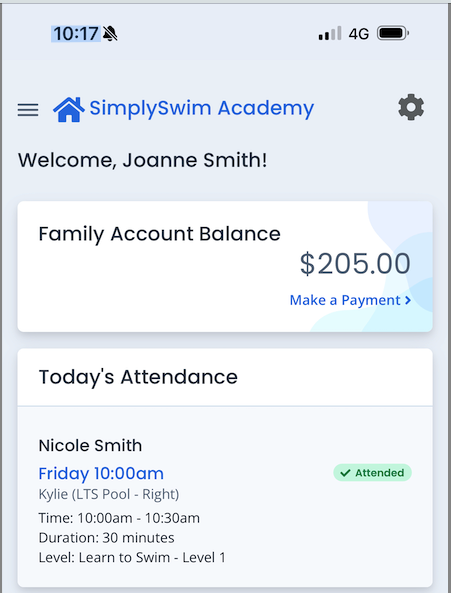
The attendance is now recorded.
Troubleshooting / Error messages
Check-in option not displaying
- it is not within 2 hours of the start of the scheduled attendance
- the scheduled attendance has finished
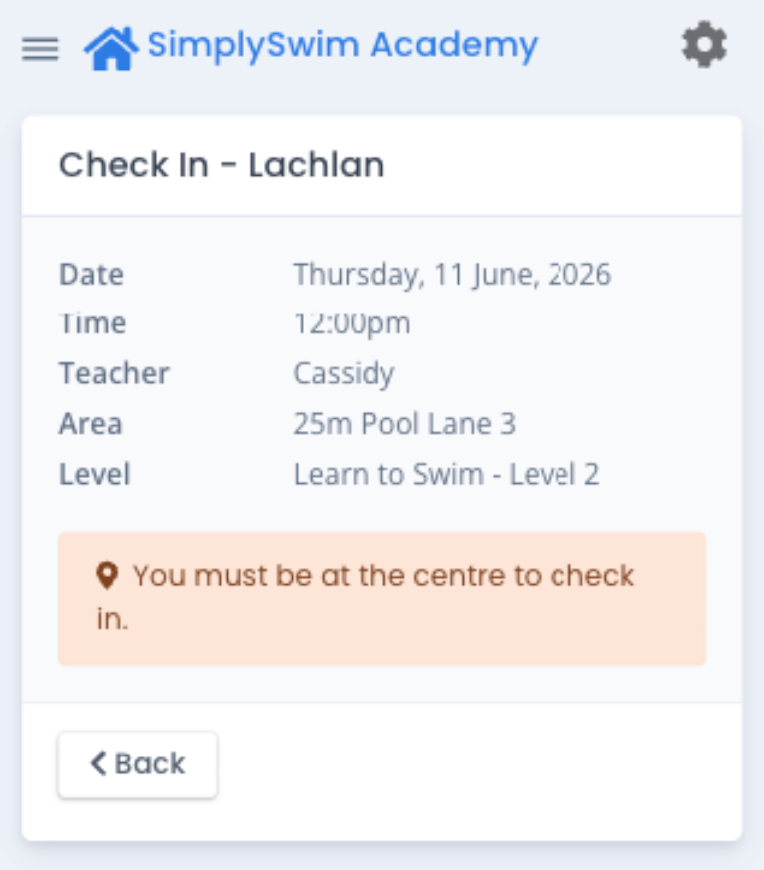
- the family is not at the centre - they must be within 1km of the centre to check-in
- Centre settings are not configured or not allowed. Contact your supervisor / manager.
Location Settings
- Centre address must be entered at Configuration → Company Information
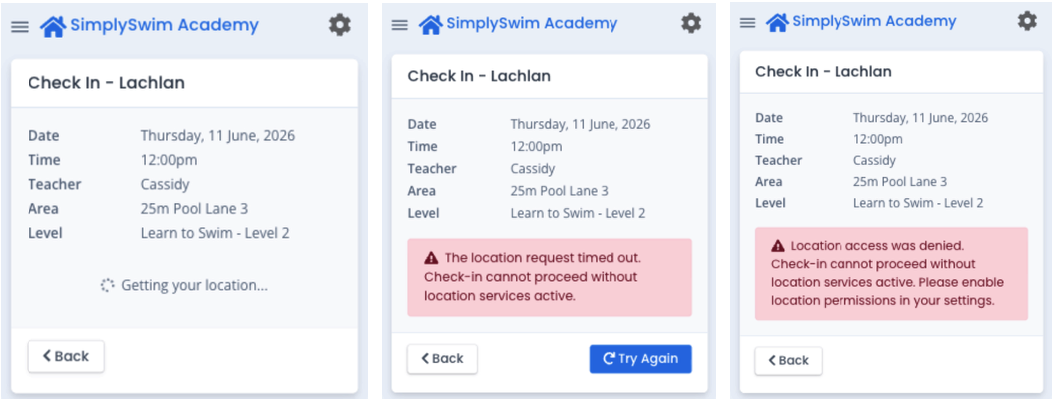
- location settings in the SimplyPortal app must be enabled by the family for Check-in to proceed. Error examples:
Last updated 12 June 2026
Was this article helpful?
That’s Great!
Thank you for your feedback
Sorry! We couldn't be helpful
Thank you for your feedback
Feedback sent
We appreciate your effort and will try to fix the article