 Legacy Sales Complete Elite
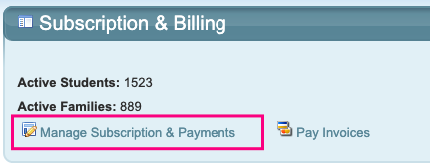
To view or change your Subscription plan, go to Configuration and click Manage Subscription & Payments.
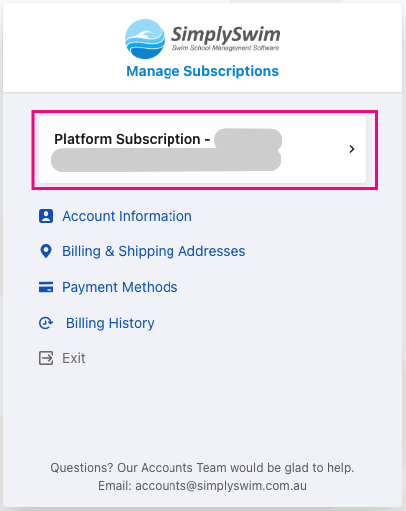
Your current Subscription plan is displayed. Click on your Platform Subscription.
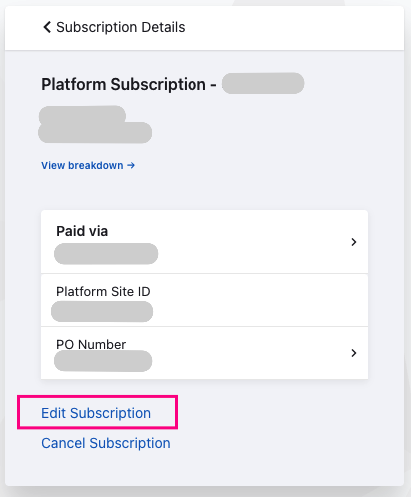
Click on Edit Subscription.
Click on CHANGE.
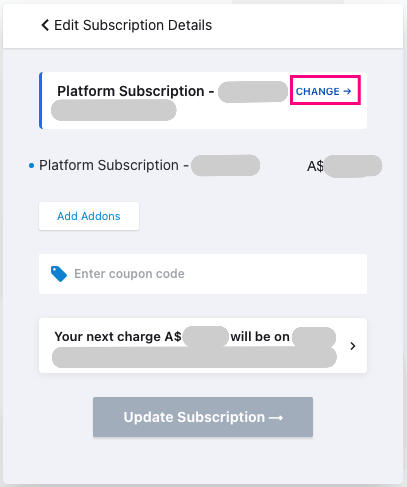
Change your plan from the dropdown, select the billing frequency and click Update. Any change in pricing will be displayed.
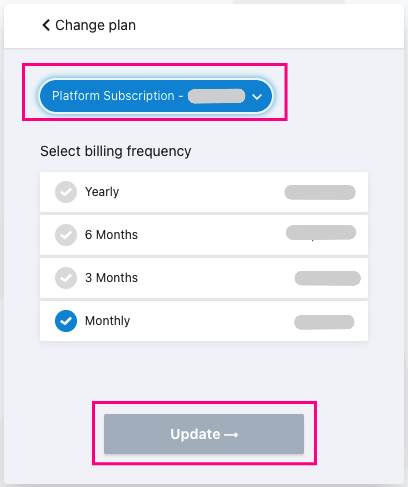
You will receive an email confirming the change and any additional charges.
Last updated 11th February 2026
Was this article helpful?
That’s Great!
Thank you for your feedback
Sorry! We couldn't be helpful
Thank you for your feedback
Feedback sent
We appreciate your effort and will try to fix the article