 Elite
EliteWhen configured (refer to: Change of Enrolment: Self-serve through SimplyPortal) families are able to change their student's enrolments. This article details what the family can see and action.
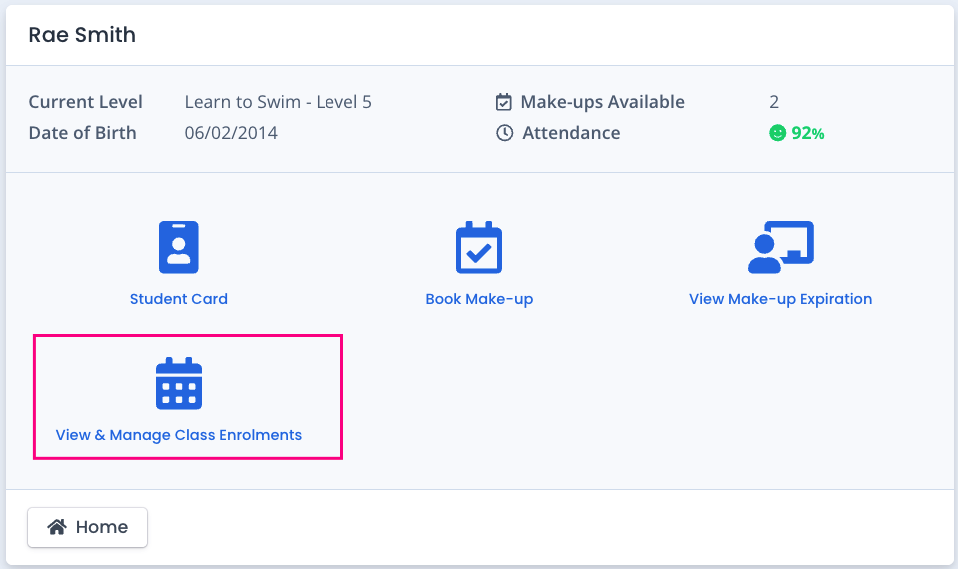
When logged into the SimplyPortal app (customer portal), families would navigate to the Student and click / tap on "View & Manage Class Enrolments".
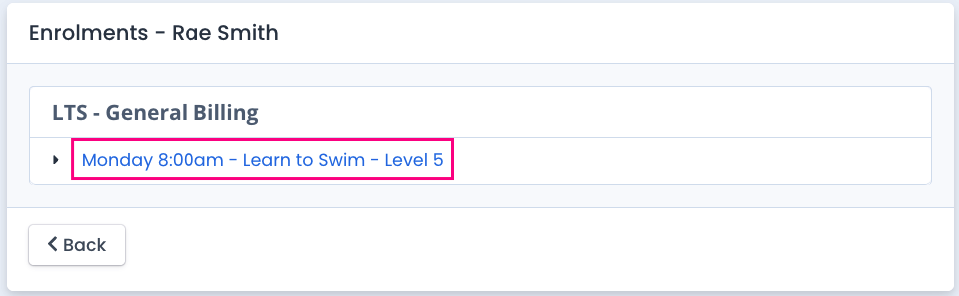
The student enrolments will display. They click / tap on the enrolment they are wanting to change.
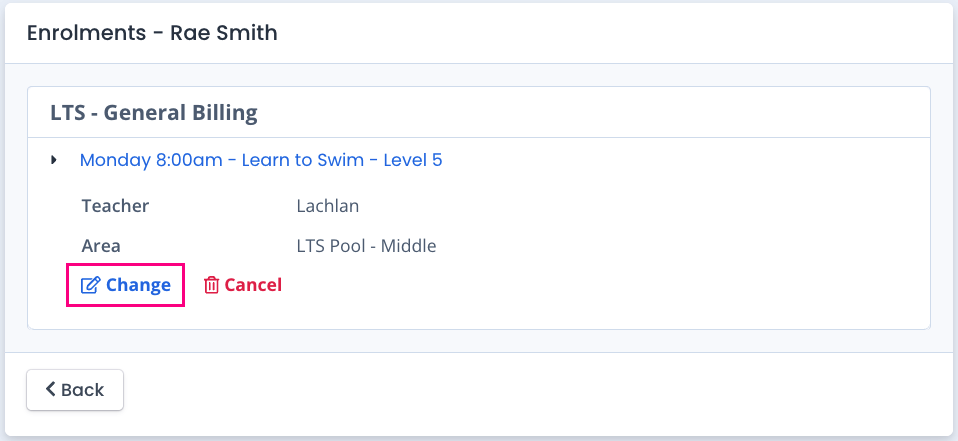
They would click / tap on "Change".
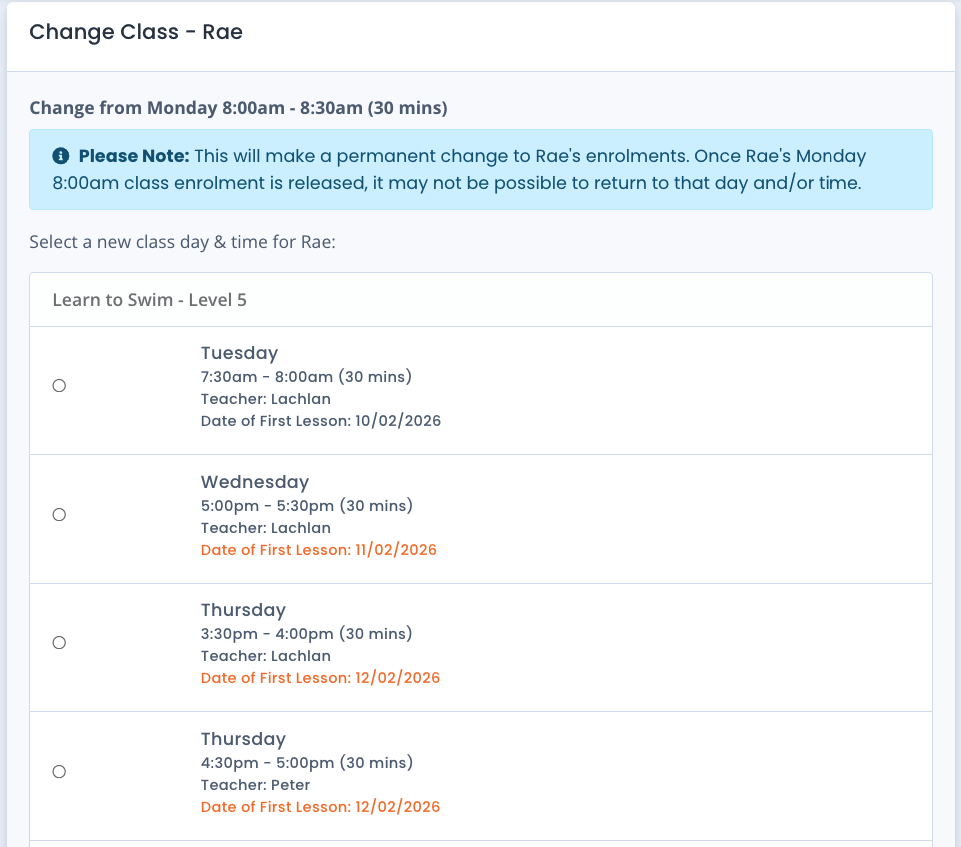
A blue warning will appear at the top of the screen notifying the family this will be a permanent change and that it may not be possible to return to their original enrolment if they change their mind. Nothing is actioned at this stage. A list of classes matching the student's level with available ongoing enrolment spaces is displayed along with the Date of First Lesson in the selected class.
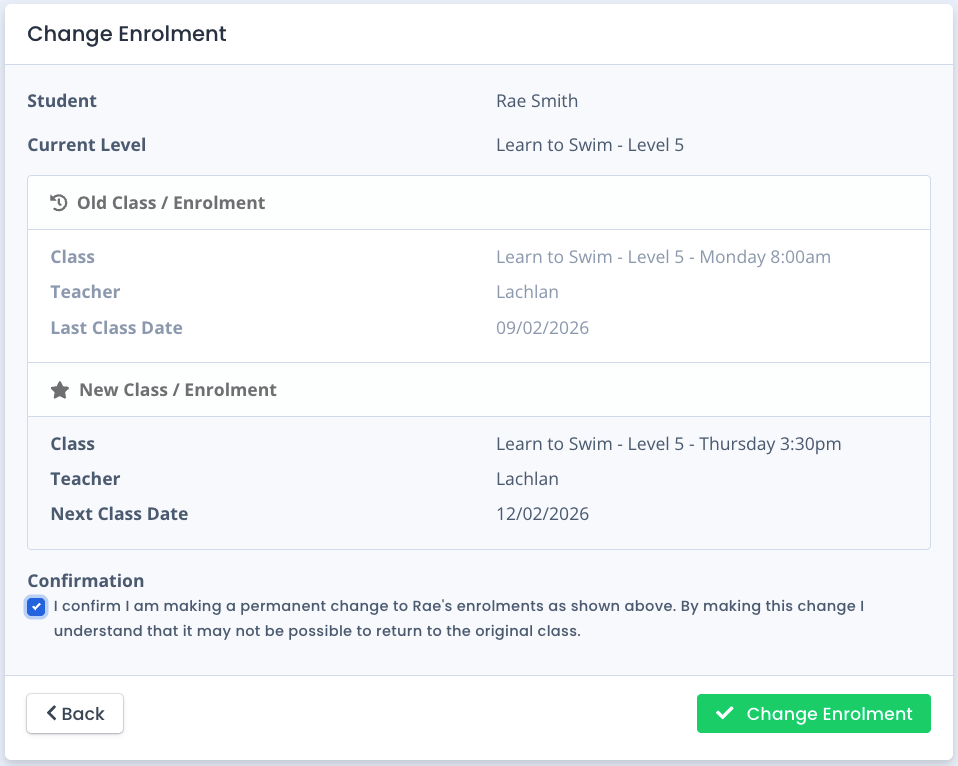
The family would make their selection and click Next. A Change of Enrolment Screen is displayed detailing the Old Class with the Last Class Date and the New Class details with the Next Class Date. They have the option to go back and make a different selection / cancel out of the process, or tick the confirmation box and click / tap on the "Change Enrolment" confirmation button.
A confirmation screen appears confirming the change of enrolment. Options are to "Go to Student" or "Home".
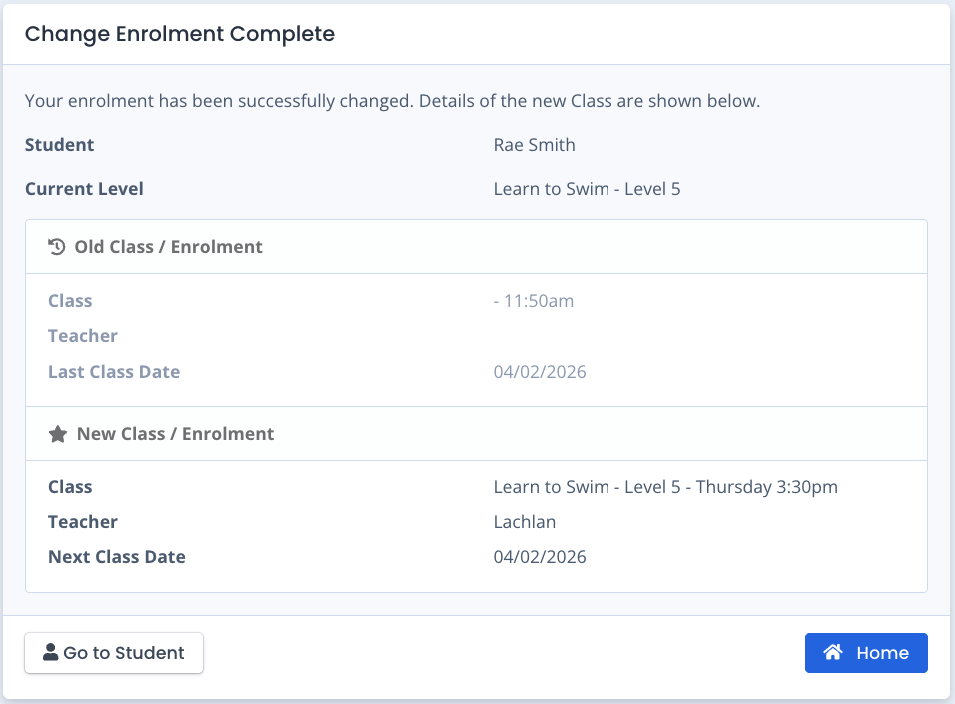
The Student's Attendances and family finance are automatically updated for the Family and in your system in real time.
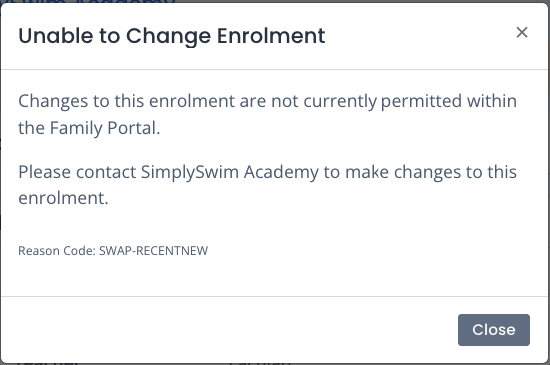
If a family goes to change a recently changed enrolment again, they will receive a pop-up warning to say that any further changes are not currently permitted and to contact the centre to make any further changes.
Last updated 19th February 2026
Was this article helpful?
That’s Great!
Thank you for your feedback
Sorry! We couldn't be helpful
Thank you for your feedback
Feedback sent
We appreciate your effort and will try to fix the article