 Elite
EliteExisting families are able to add a new student to their family account and enrol them into classes, all through the SimplyPortal app (customer portal).
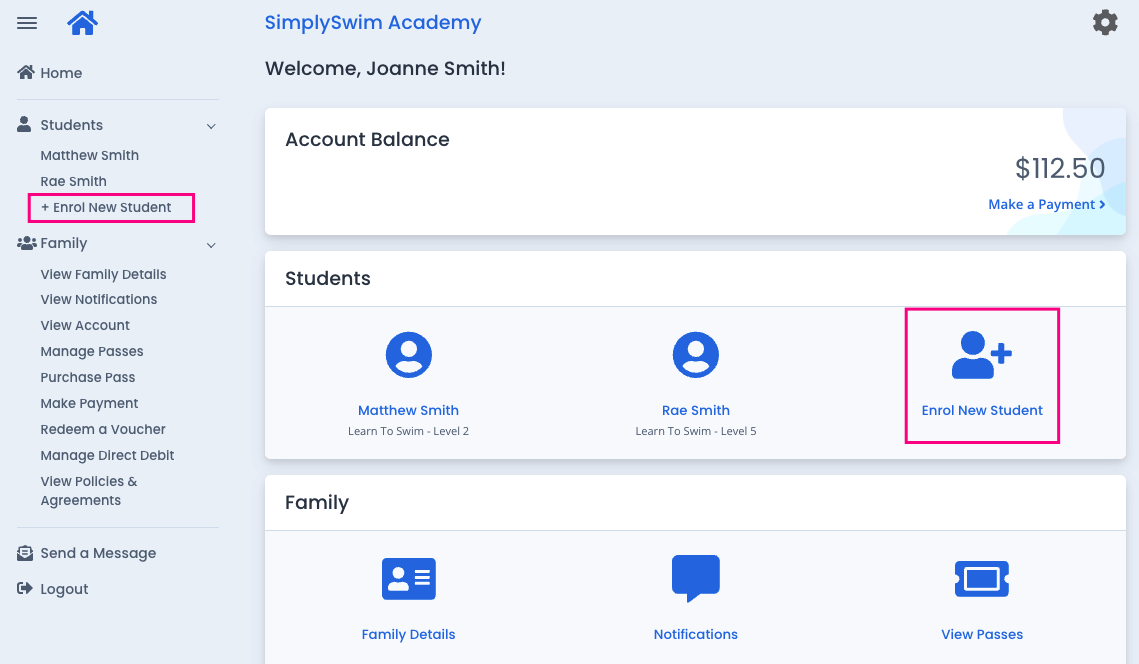
From the home screen, they would click / tap on "Enrol New Student".
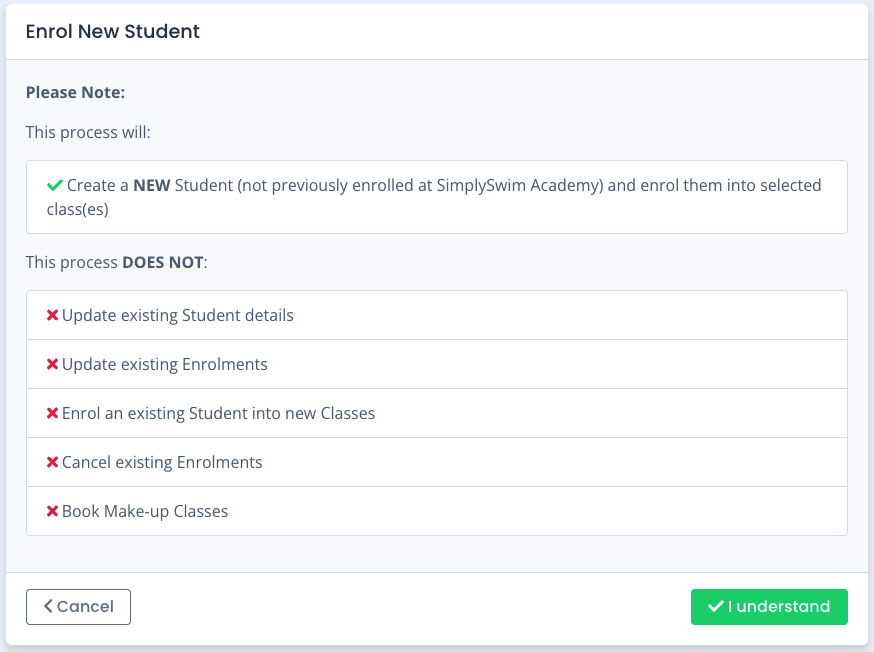
A confirmation screen appears confirming this will create a new student profile, not edit or amend any existing student's profiles or enrolments. The "I understand" confirmation must be clicked to proceed.
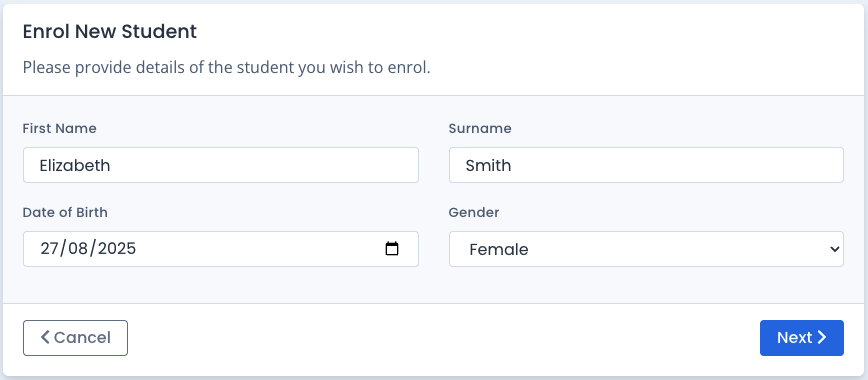
They would enter the new student's details and click "Next".
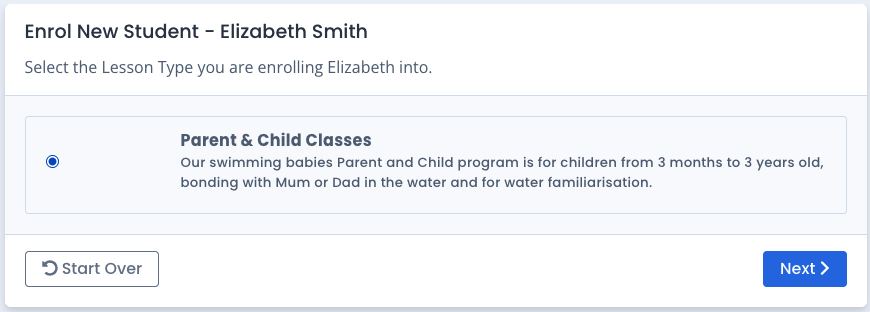
Any enrolment types available will be displayed based on the student's age.
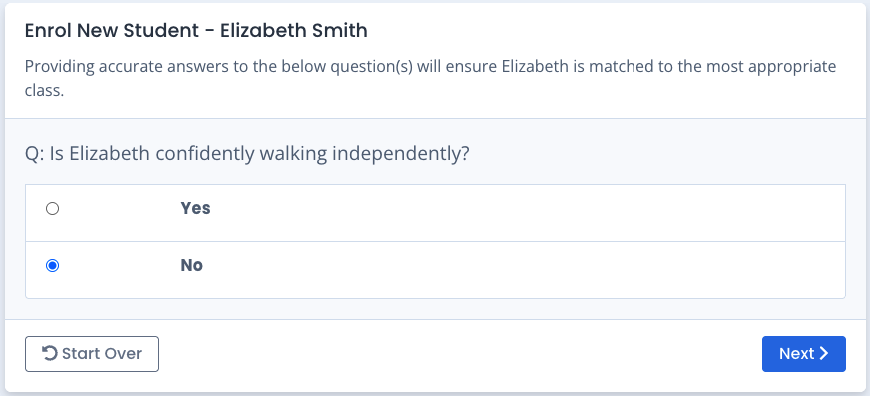
The family would follow the configured questions (if any) on the selected enrolment type to find available bookings.
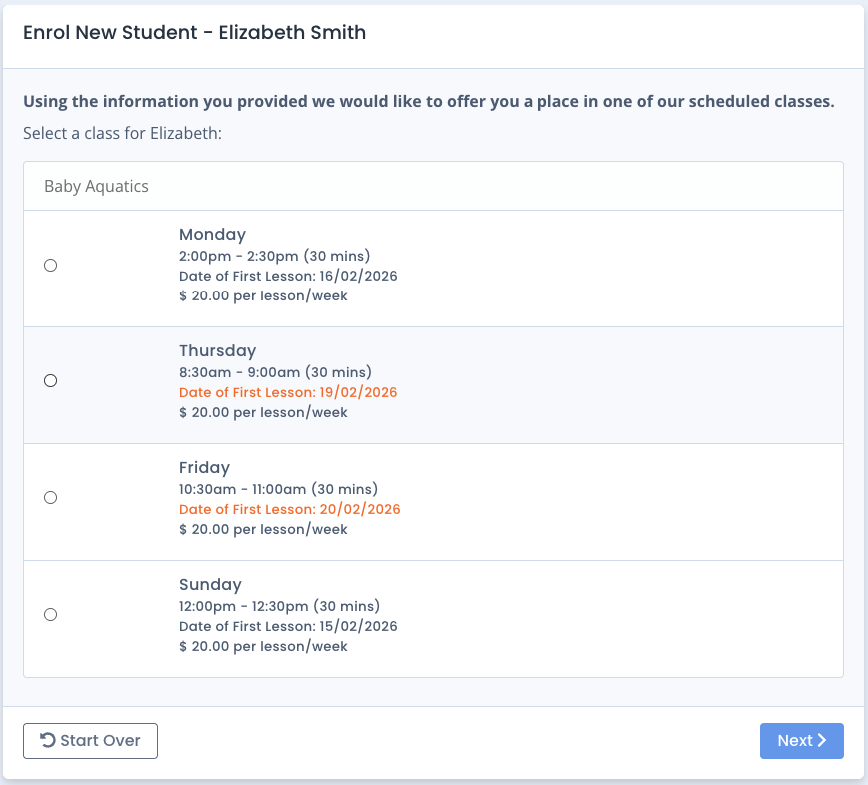
The family would select their desired booking time. Bookings are listed by order of Day of Week. Dates in orange are for the following week.
A summary of the selected enrolment appears next, alongside any Student-specific policies.
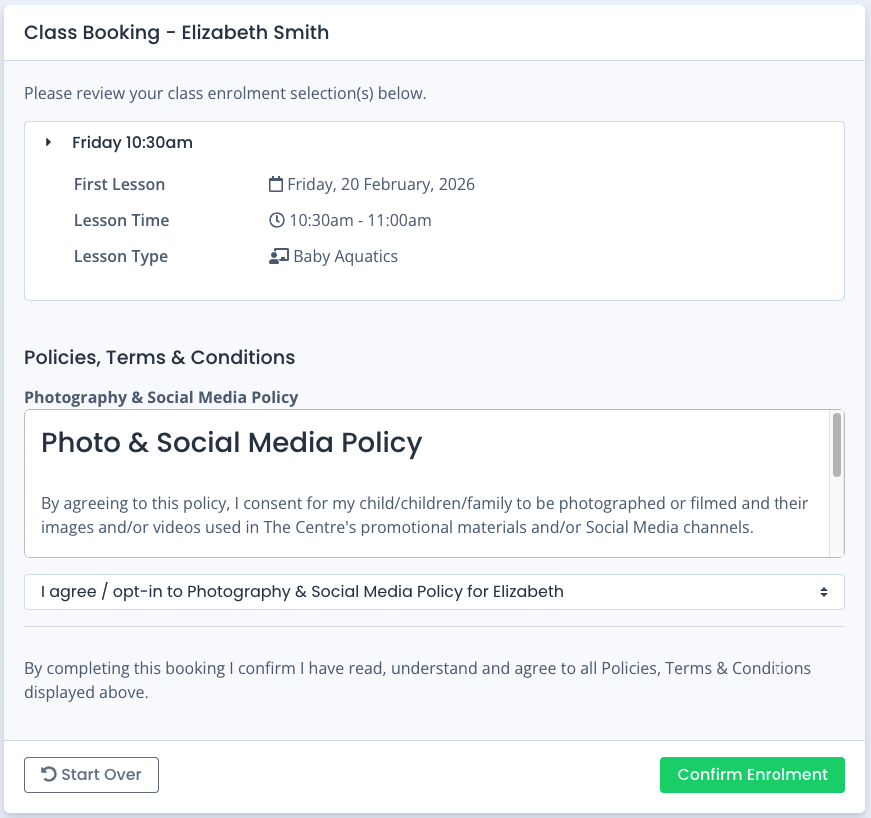
After clicking "Confirm Enrolment", a final confirmation screen is displayed and the new student and enrolment is created on the family.
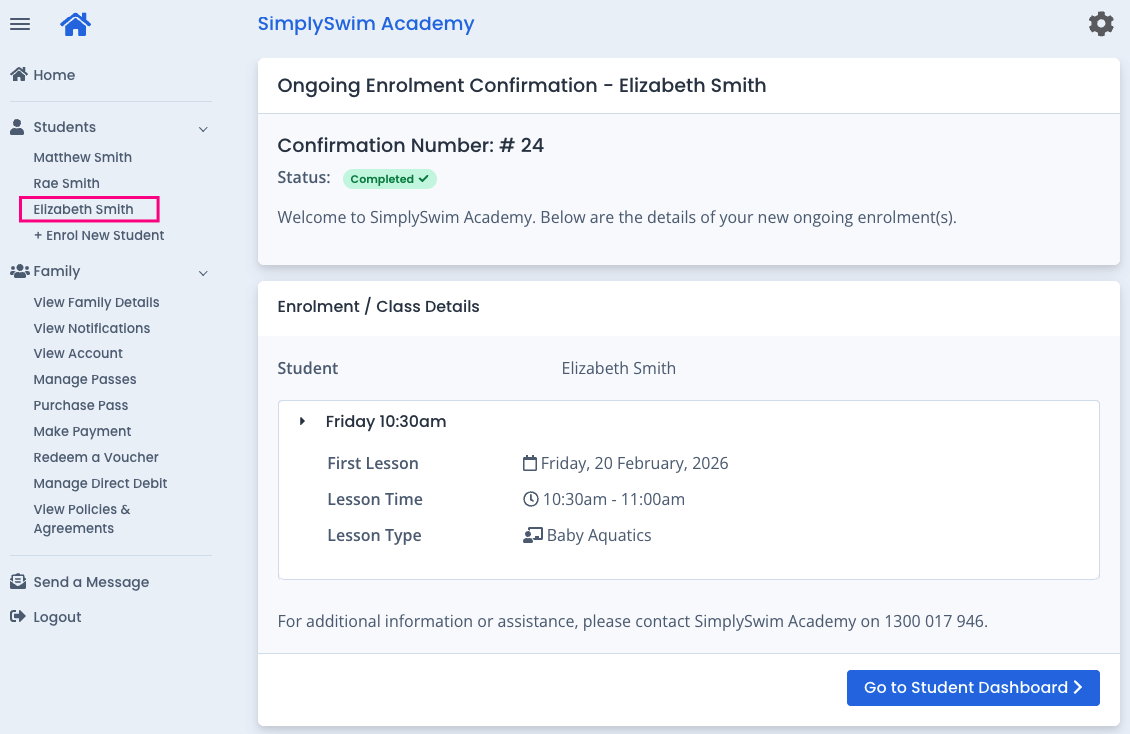
The family's finance and account balance will be automatically updated to reflect the new enrolment.
NOTE: The new Student's profile will not be created until the enrolment is confirmed. If the process is abandoned or the student's age falls outside of your configuration settings, the student will not be created as a booking is not finalised.
Automatic communications can be configured for New Students. Refer to:
Automated Event-Based Communication (AutoSend): Overview
AutoSend Communications: Setup
To configure Online Bookings, refer to these guides:
Online Bookings: Class Match Framework Setup Guide
Last updated 11th February 2026
Was this article helpful?
That’s Great!
Thank you for your feedback
Sorry! We couldn't be helpful
Thank you for your feedback
Feedback sent
We appreciate your effort and will try to fix the article