Overview
Sometimes classes are created for early AM times instead of PM. This article explains how to locate and edit / remove these classes.
How to locate classes outside of the schedule
Note: A User with access to Configuration will need to action steps 1 and 2 below.
1. Go to Configuration → System Setup → Scheduling.
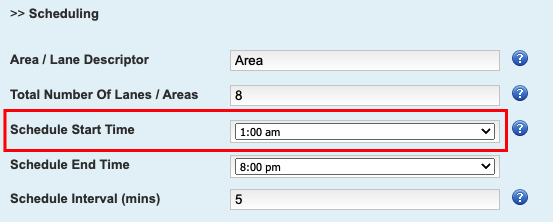
2. Change the 'Schedule Start Time' to 1:00am and save changes. If the classes were created past the schedule end time, change this as well.
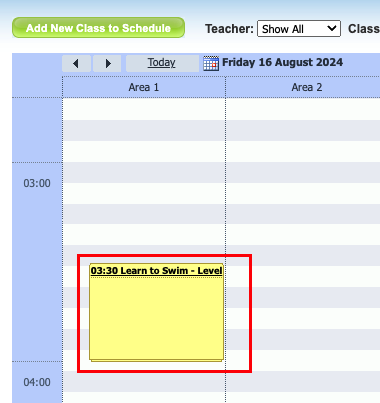
3. Go to the Classes screen and locate the early / late classes on the schedule.
4. Click on the class and then "Edit Class". Here the class details can be altered if you can reuse the class at a different time that day of the week, or, the class can be deleted.
When all classes have been located and edited / deleted, go back to Configuration and revert the schedule to the correct times.Last updated 26 May 2026
Was this article helpful?
That’s Great!
Thank you for your feedback
Sorry! We couldn't be helpful
Thank you for your feedback
Feedback sent
We appreciate your effort and will try to fix the article