Overview
This guide shows how to enrol a student into grouped classes, e.g. Squads or Holiday Programs. It does not show you how to create the group of classes.
This is referred to as a Multi-Class Enrolment - creating an enrolment into multiple classes with one enrolment action.
How-To Video
Setup Guide
TABLE OF CONTENTS
Before You Start
This guide assumes that multi-class enrolment templates have been set up.
TIP: Have a naming convention and sort order for Enrolment Templates to make them easy to locate when enrolling a student.

If you have not set up your Enrolment Template class groups, refer to: Creating Multi Class Enrolment Templates
Enrolling a Student into a Multi-Class Enrolment
1. Go to the Student and click on "New Multi Class Enrolment".

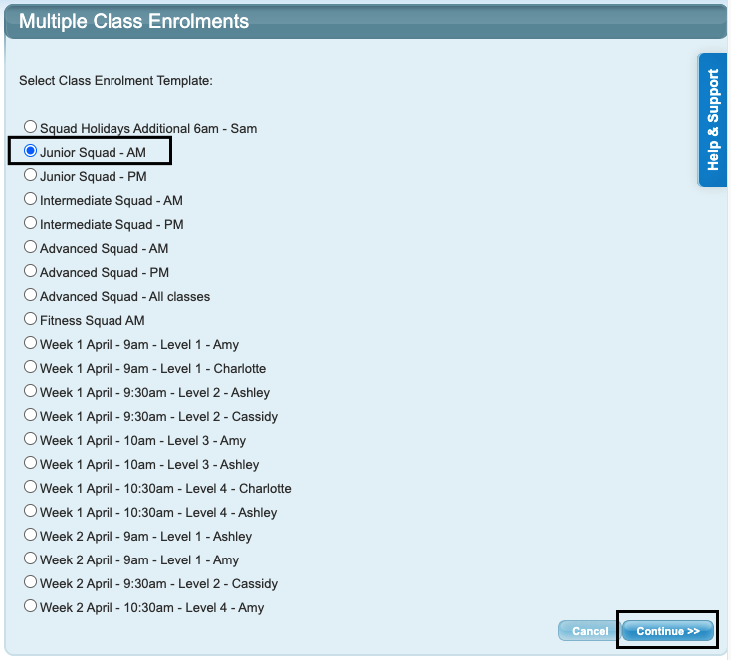
2. Select the required template from the list and click "Continue >>".
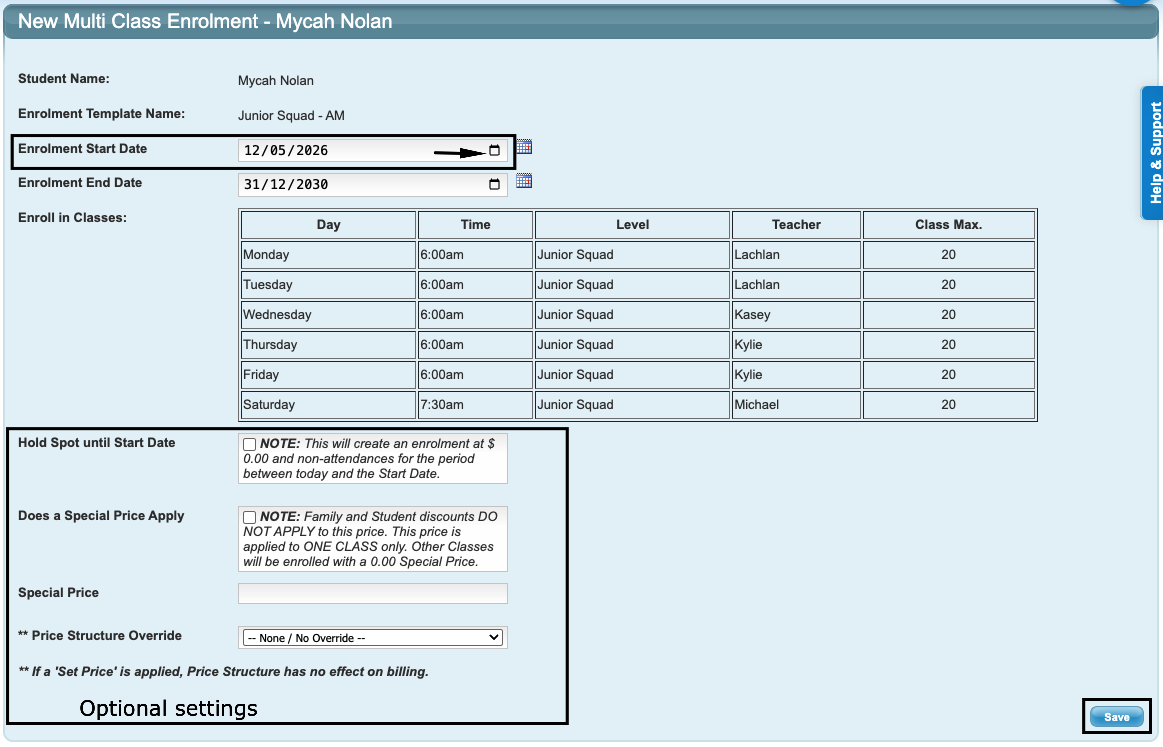
3. The next screen is the standard enrolment screen and displays the group of classes the student is being enrolled into. Make sure the start date of the enrolment is correct. Complete the required fields and save. If no special pricing / price overrides are selected, the enrolment will be charged as per the class setup. Save the enrolment.
Notes on Start and End Dates
Holiday Programs or short programs have a specific start and end date. A Student's enrolment will match the program's start and end dates and don't need to be changed when enrolling.

For longer period / ongoing groups (e.g. ongoing Squad classes), make sure the correct start date is selected. The end date can be left to the default.

TIP: Hold Spots, Special Prices and Price Overrides are optional fields.
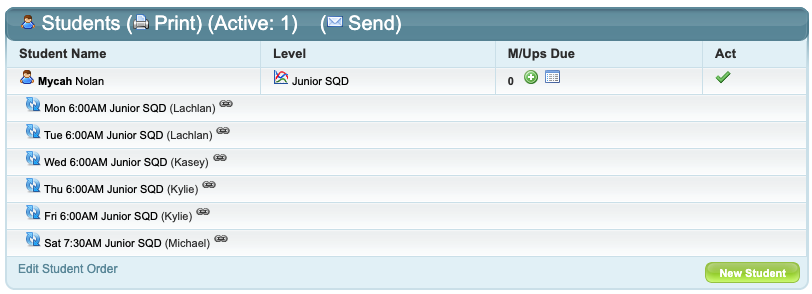
The student is now enrolled in the grouped classes. Multi-classes show with a chainlink symbol under the student's enrolments.
Last updated 12 May 2026
Was this article helpful?
That’s Great!
Thank you for your feedback
Sorry! We couldn't be helpful
Thank you for your feedback
Feedback sent
We appreciate your effort and will try to fix the article