Overview
How to change a User's password.
Setup Guide
TABLE OF CONTENTS
Before You Start
Passwords can only be updated by a User with access to Configuration and permission to reset User passwords.
Full Access Users can update their own password.
For security reasons, do not share passwords or save login details, especially on shared devices.Changing a User's Password
1. Go to Configuration → User Setup.
2. Click on "Change Password" for the required User.

3. Type in the new password in both fields and click "Change".
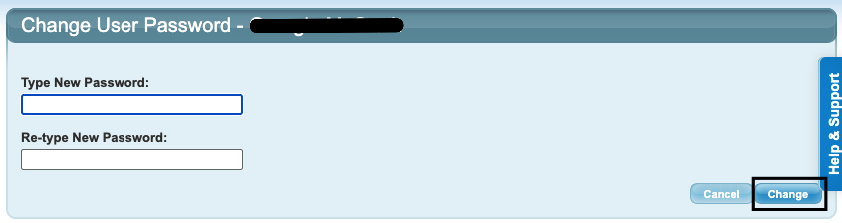
There are no requirements on password length or use of special characters. However we recommend secure passwords are created (do not use anything generic or easily guessable).The User will need to login with their new details.
Last updated 29 May 2026
Was this article helpful?
That’s Great!
Thank you for your feedback
Sorry! We couldn't be helpful
Thank you for your feedback
Feedback sent
We appreciate your effort and will try to fix the article