Overview
Use this guide to view Booster Class settings and bookings.
Setup Guide
TABLE OF CONTENTS
Before You Start
This article assumes Booster Classes have been enabled.
Refer to the below for further information on these prerequisite steps:
Overview: Booster Classes NEW FEATURE
How To: Enable Booster Classes
How to: View Price Levels configured for Booster Classes
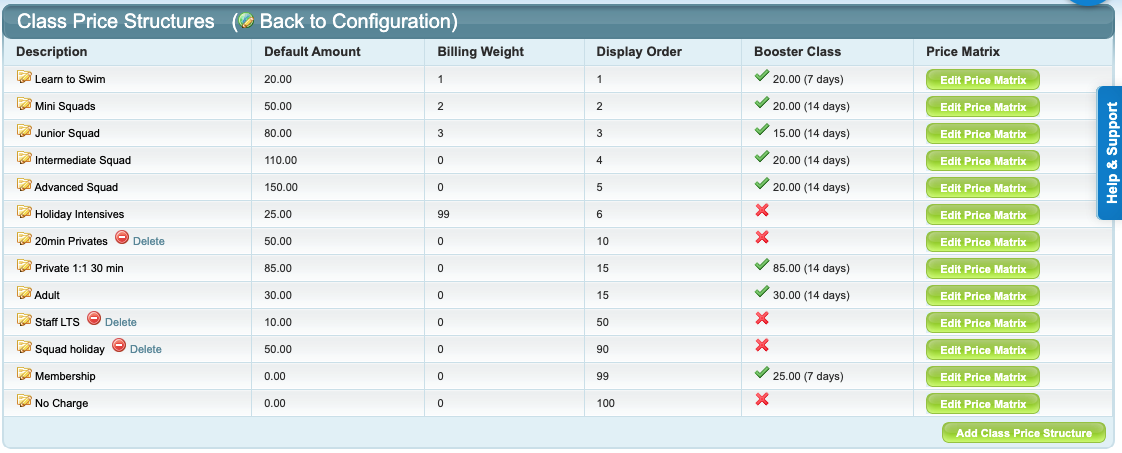
Booster Class settings are clearly visible from Configuration → Price Level.
The main Price Level screen displays which Price Levels have been enabled, the price configured and the number of days' lead time allowed for Booster Class bookings. Click on the name of the Price Level to modify settings.
✅ = Enabled
❌ = Disabled
How to: View Booster Class Bookings in Bulk
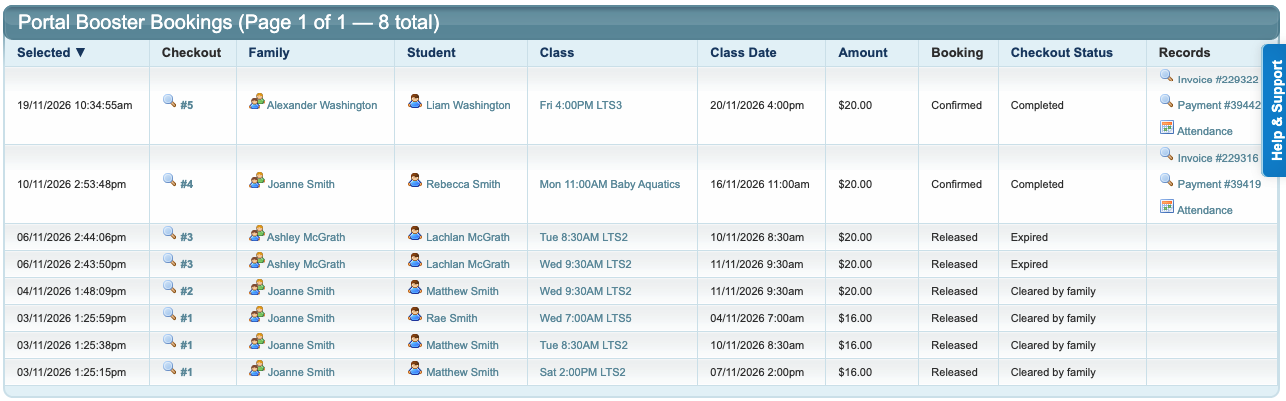
All Booster Class Bookings can be viewed in the one place from Administration.
Go to Administration → View Portal Booster Bookings.
All completed and released (expired or cleared by the family) Booster Class Bookings can be viewed, sorted and searched.
Checkout Status legend:
Completed = successful booking and payment.
Expired = the booking process expired before payment was completed. The booking was not finalised.
Cleared by family = the family added Booster Classes to their cart, then removed them. The booking was not finalised.
How to: Manage Booster Classes
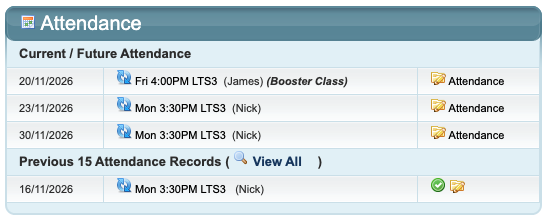
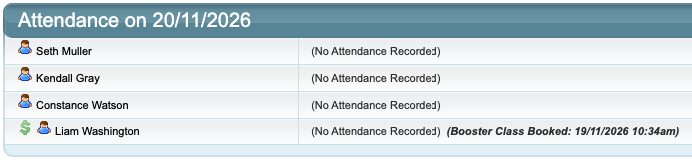
Booster Class Attendances are managed like any regular attendance or make-up. They display in class lists (Attendance and Schedule screens) as well as on the individual student.
Booster Class Attendances are managed the same way as a regular attendance - marked as Attended or with a Non-Attendance reason either by staff or by families through the portal.
Example - Student screen Attendance:
Example - Class Information screen:
Can Staff Book Booster Classes for Students?
No. Booster Classes are self-managed through the SimplyPortal app (family portal).
Staff cannot book booster classes - this would be an individual date enrolment.
Further information
For further information on blocking classes or dates for Booster Class bookings, refer to:
How To: Block Classes for Booster Class Bookings
Last updated 19 November 2026
Was this article helpful?
That’s Great!
Thank you for your feedback
Sorry! We couldn't be helpful
Thank you for your feedback
Feedback sent
We appreciate your effort and will try to fix the article