This information applies to centres located in New South Wales, Australia.
Pre-requisites
- Already be registered as an approved Activity Provider in the Active and Creative Kids voucher program
- Have access to your Service NSW Business profile
Steps
- Login to your Service NSW Business Profile. The Business Profile is connected to the MyServiceNSW account of the business owner and can be accessed via: https://www.service.nsw.gov.au/business/business-profile.
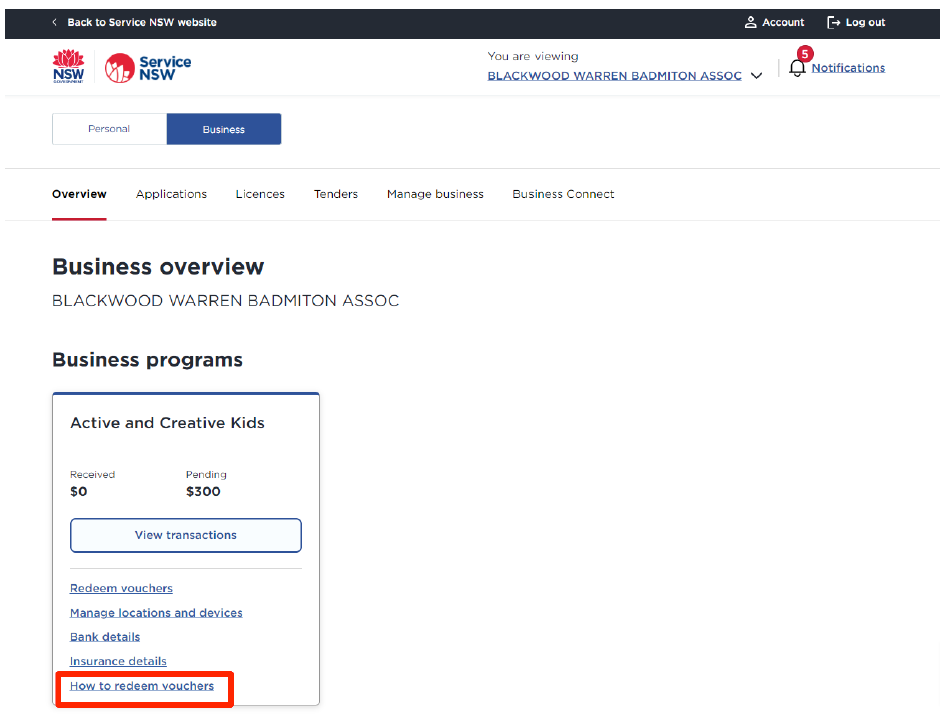
- Go to "How to redeem vouchers" for the Active and Creative Kids Business program.
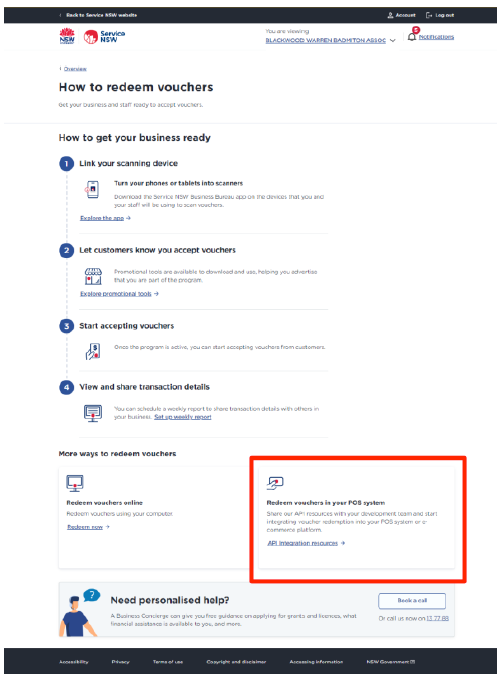
- Click "Redeem vouchers in your POS system"
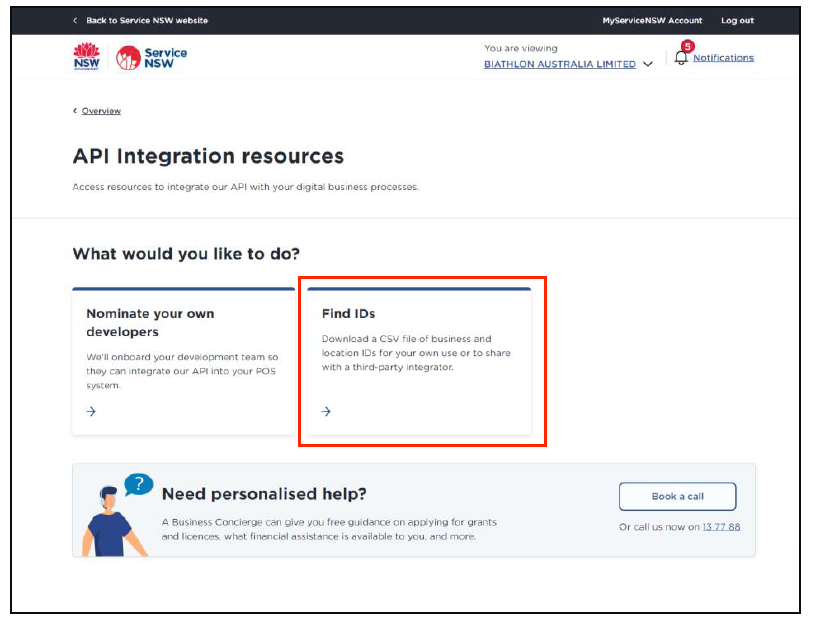
- Click "Find IDs". This will download a file with the details we need to setup your Voucher Redemption.
- Create a new Support Case with SimplySwim support requesting NSW AKCK Vouchers for your site. Be sure to include the file downloaded in Step 4 as well as your SimplySwim Site ID.
Was this article helpful?
That’s Great!
Thank you for your feedback
Sorry! We couldn't be helpful
Thank you for your feedback
Feedback sent
We appreciate your effort and will try to fix the article